

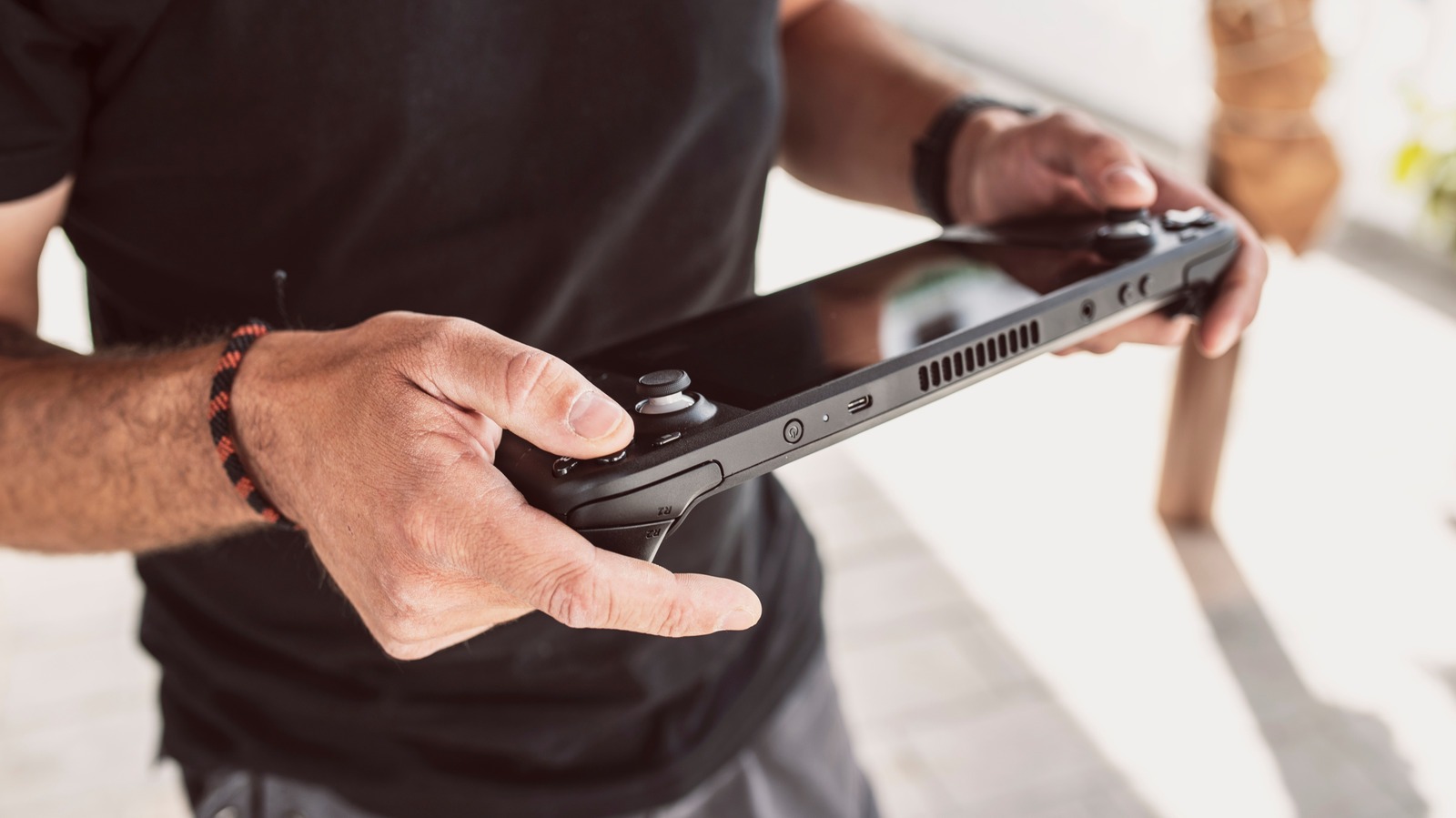
The Valve Steam Deck is a portable x86 handheld gaming console engineered around a solitary top-mounted USB Type-C interface that provides power delivery, external video output, and high-speed data transfer. Priced starting at $399.00 USD direct from Valve for the baseline 256GB LCD variant, and scaling to $549.00 USD direct from Valve for the 512GB OLED model, the device targets mobile PC gaming enthusiasts seeking a self-contained mobile hardware platform that can seamlessly transition into a workstation environment. While the base console provides an operational handheld experience out of the box, fully utilizing its underlying custom AMD APU architecture requires deliberate peripheral investments designed around its single physical port.
🛒 Where to Buy: Valve Steam Deck
Editorial Note & Product Verification: The Cool Great Buys editorial desk independently verifies manufacturer technical specifications, cross-checks active retail availability across authorized sellers, and evaluates verified consumer reliability data before publishing product evaluations. All featured prices and promotions reflect active market rates at the time of publication.
- Valve Steam Deck: View on Amazon
Click the link above to check current pricing, availability, and customer reviews on Amazon.
A recent operational analysis published in a SlashGear source dispatch underscores how effectively this single port handles high-bandwidth tasks beyond basic charging. Historically speaking, handheld gaming devices relied on proprietary connectors or severely constrained I/O specifications that locked users into closed accessory ecosystems. The decision by Valve to implement an open USB 3.2 Gen 2 specification with DisplayPort 1.4 Alternate Mode changes the economic and functional longevity of the hardware. However, evaluating the practical utility of this port requires examining the complete system cost, peripheral compatibility requirements, and engineering trade-offs inherent to a single-port topology.
Upfront Investment & 2-Year Total Cost of Ownership
Acquiring the base console represents only the initial entry threshold of the system’s broader hardware ecosystem. The baseline 256GB LCD unit costs $399.00 USD, while the upgraded 512GB OLED edition sits at $549.00 USD. Because modern games frequently exceed 100GB in installation size, relying exclusively on internal storage or secondary microSD cards introduces read/write throughput bottlenecks during intensive texture streaming. To unlock the full capabilities of the USB-C interface, users must budget for external storage drives, high-output portable power reserves, and multi-port interface hubs. In practice, establishing a complete desktop-replacement setup adds notable expenditure to the base hardware cost.
Over a standard two-year ownership lifecycle, ongoing maintenance costs remain relatively low due to the lack of required hardware subscription fees, but accessory acquisition substantially raises the total financial commitment. A high-speed solid-state drive, such as the SanDisk 1TB Extreme Portable SSDavailable for $99.99 USD on Amazon, provides necessary storage expansion without physical disassembly. Pairing the console with a high-capacity power solution like the Anker 737 Power Bank 24000mAhpriced at $109.99 USD on Amazon ensures extended handheld operation under full 15W TDP system loads. Adding a desktop peripheral nexus such as the official Valve Steam Deck Docking Stationat $79.00 USD direct from Valve or Amazon brings the aggregate initial equipment outlay to between $687.98 USD and $837.98 USD.
Factoring in peripheral wear, power adapter replacements, cabling, and potential hardware upgrades over a 24-month operational period yields a realistic total cost of ownership (TCO) calculation summarized below:
- Base Console Hardware (LCD 256GB vs. OLED 512GB): $399.00 to $549.00 USD upfront cost.
- External Storage Expansion (1TB USB-C NVMe Portable SSD): $99.99 USD initial investment; $0 ongoing maintenance.
- High-Output Mobile Power Bank (24,000mAh / 140W PD): $109.99 USD upfront; optional battery replacement cycling at 18 months ($20.00 USD USD).
- Desktop Interface Hub / Docking Station: $49.99 to $79.00 USD initial outlay.
- High-Speed Cables & Accessories (Right-angle USB-C adapters, CAT6 Ethernet): $35.00 USD USD over 2 years.
- Calculated 2-Year Total Cost of Ownership Range: $693.97 USD (Entry LCD configuration) to $892.98 USD (Premium OLED docking configuration).
What You Actually Get: Core Features & Build Specs
The top-mounted USB Type-C interface on the Steam Deck operates under the USB 3.2 Gen 2 protocol standard, providing a theoretical maximum data transfer bandwidth of 10Gbps. Additionally, the port integrates DisplayPort 1.4 Alternate Mode functionality alongside USB Power Delivery 3.0 compliance rated up to 45W (15V at 3A). Physical construction of the port housing is reinforced directly to the main system board, though high-frequency plugging cycles present mechanical wear considerations over time. Through this single physical interface, the hardware routes uncompressed digital audio/video signals, bi-directional USB data packets, and power input simultaneously.
Examining the practical implementations outlined in technical hardware documentations highlights five distinct operational applications for this interface:
- High-Speed External Storage Expansion: Connecting external solid-state drives via USB 3.2 Gen 2 yields sequential read speeds exceeding 1,000MB/s. This performance drastically outperforms standard UHS-I microSD cards, which cap out near 100MB/s. This distinction matters here when running bandwidth-heavy open-world software that relies on rapid asset streaming directly from disk storage. While user options exist to upgrade the built-in storage on Steam Deck, external drives offer a non-invasive plug-and-play solution.
- Direct External Display Pipeline: Using DisplayPort 1.4 Alt Mode, the console can output video signals at resolutions up to 8K at 60Hz or 4K at 120Hz to external monitors, televisions, or projectors. When connected directly to modern displays featuring native USB-C inputs with Power Delivery pass-through, a single cable transmits display data to the monitor while simultaneously supplying charging current back to the console.
- Wearable Micro-Display Integration: The interface natively supports direct connection to active AR smart glasses, such as the XREAL Air 2 Pro AR Glassesavailable for $449.00 USD on Amazon. These devices draw video data and low-voltage bus power directly from the port to drive twin micro-OLED panels, creating a virtual large-screen visual interface without requiring external control boxes.
- Extended Mobile Runtime via USB PD: Handheld power management under maximum system workloads drains the internal battery in approximately 90 minutes on original LCD models and roughly 2 to 2.5 hours on OLED revisions. Plugging in an external battery bank delivering at least 45W via USB Power Delivery preserves charge levels during active operation, removing dependency on AC wall outlets.
- Stationary Desktop Conversion & Low-Latency Ethernet: Connecting multi-port hubs like the Anker 555 USB-C Hubpriced at $49.99 USD on Amazon expands the lone interface into HDMI, DisplayPort, USB-A, and Realtek-based Gigabit Ethernet connections. Substituting Wi-Fi 6 for a dedicated wired network cable lowers packet jitter and network latency during competitive online sessions.
It is worth observing that the integration of open USB standards on the Steam Deck avoids past industry pitfalls. Historically speaking, proprietary accessory interfaces—such as early netbook docking solutions or early iterations of rival mobile hardware—suffered from limited third-party hardware compatibility and premature sunsetting. A prominent example occurred in 2018, when early third-party docks for the Nintendo Switch caused physical hardware failures due to non-standard USB-C Power Delivery handshakes. Valve avoided this constraint by adopting standardized USB PD 3.0 specs, ensuring third-party compliance across standard hubs and power banks.
Hidden Costs, Ecosystem Dependencies & Fine Print
According to technical documentation published with Valve’s Steam Deck developer release, the power controller requires a strict minimum of 45W input at 15V to charge the internal battery while running games at full system load. The critical detail the official spec sheet buries in the fine print is that multi-port docking stations and USB hubs consume between 10W and 15W of pass-through power to drive their internal chipsets, video converters, and USB controllers. Consequently, plugging the factory-supplied 45W AC adapter into a third-party dock results in only 30W to 35W reaching the Steam Deck, leading to slow battery drain during active gameplay sessions. Users must budget for a secondary 65W or higher USB-C power supply to maintain stable system charging while docked.
Operating system dependencies also introduce hidden friction when using external storage drives. SteamOS utilizes an Arch Linux core operating on the ext4 file system architecture. While exFAT and NTFS external drives can be mounted with manual command-line scripts, native Proton shader caching and game performance function most reliably when drives are formatted in ext4. This engineering trade-off means an external USB-C drive formatted directly by the Steam Deck will not be natively readable when plugged into a standard Microsoft Windows PC without specialized software drivers.
Mechanical considerations surrounding the physical port location demand attention as well. The single port resides on the top chassis rail, meaning heavy, unyielding USB-C display cables or rigid storage dongles exert continuous downward leverage on the internal connector assembly. Without deploying 90-degree right-angle adapters or dedicated docking cradles, constant cable movement risks flexing the soldered surface-mount pins on the motherboard. Additionally, outputting content to external 4K displays forces the AMD APU to render or scale at higher visual targets, increasing system temperatures and driving thermal fan speeds to higher acoustic levels than handheld gaming generates at native 1280×800 resolution.
Smarter Alternatives at This Price
Evaluating the Steam Deck’s expandability requires comparing it against rival hardware options in the handheld market. Consumers weighing a total system investment must consider how competing platforms handle hardware expandability and baseline performance.
The ASUS ROG Ally RC71Lrepresents a prominent direct competitor, currently priced at $499.99 USD on Amazon. Powered by an AMD Z1 Extreme APU running native Windows 11 Home, the Ally delivers higher peak floating-point computing performance and features a 1080p 120Hz display panel. For connectivity, ASUS implemented a single USB-C port paired with a proprietary ROG XG Mobile connector for external graphics cards. However, the device requires a 65W minimum power delivery standard to enable its 30W Turbo Mode, and its 40Wh battery yields notably shorter un-tethered operational lifespans than the Steam Deck OLED. Additionally, the lack of dual capacitive trackpads limits its operational capability when navigating mouse-driven PC desktop interfaces.
Another prominent alternative is the Lenovo Legion Go 8APU1, available for $699.99 USD on Amazon. Lenovo engineered this system with two fully functional USB4 ports operating at 40Gbps bandwidth—one positioned on the top chassis rail and one on the bottom edge. This dual-port layout solves the structural cable-management limitation of the Steam Deck, allowing users to charge the unit from below while driving external peripherals or eGPUs from above. The Legion Go also features a larger 8.8-inch 144Hz QHD+ display panel and detachable controllers. The operational trade-off lies in physical mobility; weighing 854 grams compared to the Steam Deck OLED’s 640 grams, the Legion Go is noticeably bulkier to hold for long periods, and Windows 11 power management lacks the streamlined sleep/resume optimization found in SteamOS.
When reviewing options for a Steam handheld game console Deck alternative or established popular handheld gaming consoles, the market divides sharply between open Windows handhelds with dual ports and optimized Linux environments featuring a single multi-function interface. The table below contextualizes these core hardware trade-offs:
- Valve Steam Deck OLED (512GB): Single USB 3.2 Gen 2 (10Gbps) port; 45W PD requirement; SteamOS optimization; 640g weight; $549.00 USD direct. Pros: Exceptional power efficiency, ergonomic trackpads, reliable sleep/resume state. Cons: Single physical port requires external hubs for simultaneous peripherals.
- ASUS ROG Ally (RC71L Z1 Extreme): Single USB 3.2 Gen 2 + XG Mobile port; 65W PD requirement; Windows 11 OS; 608g weight; $499.99 USD on Amazon. Pros: Higher resolution 1080p screen, higher raw frame rates. Cons: Rapid battery consumption, lack of trackpads, proprietary eGPU connector format.
- Lenovo Legion Go (8APU1): Dual USB4 (40Gbps) top/bottom ports; 65W PD requirement; Windows 1