

Real-World Context and Target Buyer Profile
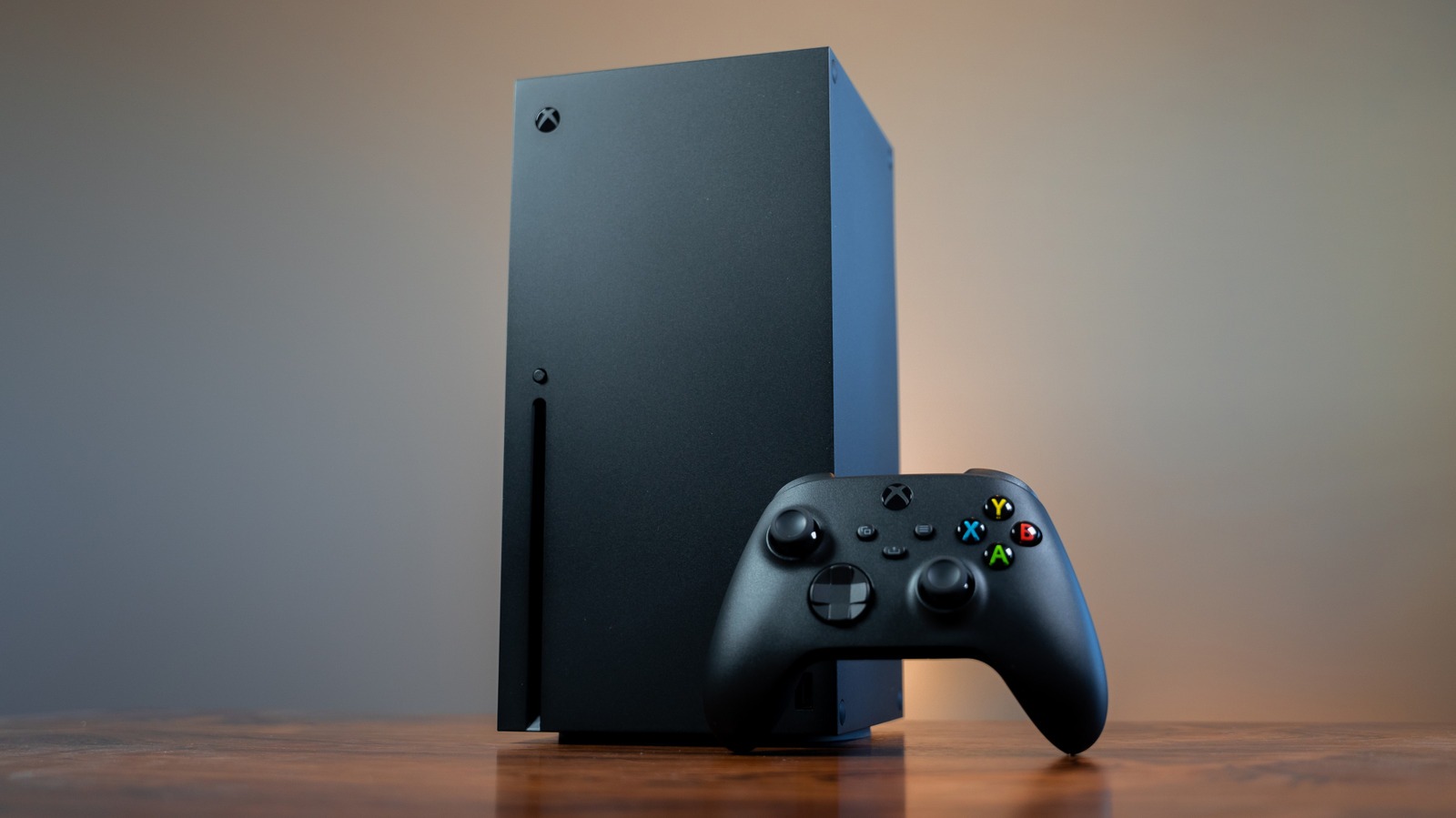
The Xbox Series Xis a flagship high-performance desktop gaming and entertainment console housed inside a compact matte-black tower chassis, selling for $499.99 USD on Amazon and the official Microsoft Store, with an optional $19 USD direct software unlock fee for Microsoft Developer Mode. Built for budget-conscious household buyers, home-office professionals, and desktop setup builders looking to maximize workspace real estate, this hardware aims to act as an all-in-one media center and high-frame-rate gaming hub beside a primary office monitor. For a normal household trying to stretch every dollar across a multi-year hardware investment, buying a single console that handles central productivity desk gaming eliminates the need to buy multiple bulky boxes.
🛒 Where to Buy: Xbox Series
Editorial Note & Product Verification: The Cool Great Buys editorial desk independently verifies manufacturer technical specifications, cross-checks active retail availability across authorized sellers, and evaluates verified consumer reliability data before publishing product evaluations. All featured prices and promotions reflect active market rates at the time of publication.
- Xbox Series: View on Amazon
Click the link above to check current pricing, availability, and customer reviews on Amazon.
Recent software developments have ignited widespread interest among home desk builders after developer Devran Cosmo Uenal demonstrated PlayStation 5 code running directly on an Xbox Series X. By porting the open-source KytyPS5 emulator into a custom Xbox package called PS5X, the project booted titles like Quake II and played them using a standard Xbox wireless controller. For users trying to decide where to spend their hard-earned money, the prospect of playing multi-platform titles on one box sounds incredible. However, evaluating what this actually costs you over two years requires looking past headline hype. Unlocking this experimental capability requires purchasing Microsoft’s $19 USD account license, but severe system software restrictions prevent this setup from replacing a dedicated dual-console setup. Is this worth it for a normal person looking to trim down workspace electronics? In plain English, while the technical engineering behind the port is impressive, software limitations strictly constrain its practical utility. Initial product disclosures and reporting were tracked via Engadget.
Hardware Engineering, Materials, and Core Specs
From a physical hardware standpoint, the Xbox Series X is engineered around a dense vertical tower design measuring 151mm x 151mm x 301mm and weighing 9.8 lbs. The structural outer enclosure utilizes durable, heavy-duty polycarbonate with a non-reflective matte finish that resists fingerprints and desktop scuffs. Internal thermal management relies on a split motherboard architecture mounted around an aluminum central chassis, pulled cool by a massive 130mm whisper-quiet top axial fan sitting above a copper vapor chamber heat sink. This thermal system keeps acoustic noise virtually silent during intensive desktop work sessions, making it an exceptional companion next to an office desk setup.
Inside the chassis, the console features an 8-core AMD Zen 2 CPU clocked at 3.8GHz, paired with an AMD RDNA 2 GPU capable of 12 TFLOPS of graphical compute performance. The system carries 16GB of total GDDR6 memory built on a 320-bit bus, alongside a high-speed custom 1TB NVMe internal solid-state drive. What caught my eye reading the full spec sheet is how closely this underlying silicon mirrors Sony’s competition, which also operates on eight Zen 2 cores, RDNA 2 graphics, and 16GB of GDDR6 memory compiled for the same x86-64 processor architecture. According to technical documentation published with this release, because both consoles share core processor instruction sets, emulators like KytyPS5 do not need to slow down performance by simulating an entirely foreign CPU architecture in software. Instead, the emulator acts as a translation layer, passing instructions directly to the host CPU while translating PlayStation Vulkan 1.3 graphic commands into Microsoft DirectX 12 calls utilizing AI-assisted code routines.
Everyday Usability & Design Compromises
Despite the shared x86 silicon, daily usability reveals massive structural bottlenecks for anyone expecting a seamless desktop gaming experience. The main hurdle stems directly from Microsoft’s strict Developer Mode sandbox policies. While retail Xbox games receive a full 13.5GB memory budget out of the system’s total 16GB RAM pool (leaving 2.5GB for the operating system), Microsoft caps developer sandbox allocations at a mere 5GB of available system memory for games and just 1GB for background applications. The thing the product page buries in the footnotes is that any homebrew application or emulated process requesting more than this restricted 5GB memory pool immediately crashes to the system dashboard.
That’s the catch. Because PS5X operates with roughly 37 percent of the RAM allocated to a normal retail game, running modern graphical blockbusters is impossible. In current builds reported by outlets like VideoCardz, the software can only load lightweight retro ports and lower-overhead games like Quake II, GEX Trilogy, Hellboy: Web of Wyrd, and Marvel Cosmic Invasion. Footage shows Quake II running at a variable 25 to 45 frames per second, with partial audio bugs and occasional frame drops. Swapping between Developer Mode and standard retail mode requires full console reboots, meaning you cannot quickly jump back and forth between work-break gaming sessions without closing out active desktop profiles. Furthermore, safety and legal risks remain high. Following Nintendo’s high-profile $2.4 million legal settlement that shut down the Yuzu emulator, players looking to experiment with open-source tools face an influx of malicious scam sites distributing fake malware-laden packages like PCS5X. Security-conscious users must avoid unverified downloads entirely.
Category Alternatives and Value Comparison
When planning a long-term home workstation setup, spending money on hardware requires looking at true functional alternatives rather than experimental developer tweaks. If your primary goal is accessing both console library catalogs without technical headaches or boot legwork, buying the native rival hardware remains the most cost-effective path. The PlayStation 5 Digital Editionretails for $449.99 USD on Amazon, featuring an identical eight-core AMD Zen 2 CPU architecture, 16GB of GDDR6 system memory, an 825GB or updated 1TB high-speed NVMe SSD, and custom Liquid Metal thermal cooling inside a vertical plastic chassis. Choosing the native PS5 eliminates memory restrictions completely, guaranteeing full 60Hz to 120Hz 4K gameplay output across native PS5 exclusives without memory crashes or system reboots.
For office users seeking true multi-platform versatility and productivity in a tiny footprint, dedicated compact computers offer far superior flexibility over locked video game consoles. The Beelink SER8 Mini PCsells for $649 USD on Amazon, featuring an AMD Ryzen 7 8845HS processor, 32GB of DDR5 RAM, a 1TB NVMe SSD, and integrated AMD Radeon 780M graphics inside an ultra-compact aluminum CNC enclosure measuring 135mm x 135mm x 44.7mm. Unlike locked gaming consoles, this mini desktop machine natively runs Windows 11 Pro, handles heavy office multitasking, supports multi-monitor productivity, and runs PC-based emulation layers through Vulkan 1.3 without artificial memory caps. According to research highlighted by Android Authority, PC-native emulation development progresses at a dramatically faster pace because desktop hardware is not throttled by console sandbox limits. Comparing the overall financial balance, paying extra for a flexible PC mini-tower offers far higher total value for home office workers than forcing a gaming console into a restricted developer workflow.
To summarize how these choices stack up for a home workspace buyer, here is how the core hardware figures compare in plain terms:
- the unit (Dev Mode Setup): Costs $499.99 USD console MSRP + $19 USD Developer license. Delivers 12 TFLOPS GPU output, 1TB storage, and full retail Xbox gaming, but throttles experimental emulation to a tight 5GB memory ceiling.
- PlayStation 5 Digital Edition: Costs $449.99 USD console MSRP. Delivers 10.28 TFLOPS GPU output, 1TB storage, native access to all PS5 exclusive software, zero technical setup requirements, and native DualSense controller haptics.
- Beelink SER8 Mini PC: Costs $649 USD direct on Amazon. Delivers 32GB DDR5 RAM, 1TB NVMe storage, full Windows 11 desktop productivity features, multi-monitor display outputs, and unthrottled PC software emulation support.
Final Buyer Verdict: Long-Term Ownership Value
For budget-conscious families and pragmatic desk builders, the the hardware remains one of the finest dollar-for-dollar console values on the market today for native gaming. Its whisper-quiet cooling, sturdy vertical footprint, and extensive Game Pass ecosystem deliver exceptional entertainment value for a $499.99 USD entry point. However, buying this hardware with the expectation of running it as a hybrid PlayStation emulator inside an office workspace is an unreliable strategy. The strict 5GB Developer Mode memory limit imposed by Microsoft creates an impassable hardware wall that prevents current-gen blockbuster games from executing properly. That’s actually fair given Microsoft’s intent to protect system security, but it turns the PS5X project into an intriguing technical curiosity rather than a practical daily tool.
If you already own an the device and want to pay $19 USD to experiment with classic homebrew, retro titles via PS2 or GameCube emulators like the most popular GameCube emulator, Developer Mode provides safe hobbyist enjoyment. But for a normal household trying to stretch a technology budget, attempting to bypass console ecosystems is not worth the hassle or security risks of unverified software. If access to PS5 games matters to your household, purchase a native PlayStation 5 Digital Editionfor $449.99 USD on Amazon. If you need a versatile desktop productivity machine that emulates older systems smoothly, invest in a dedicated Beelink SER8 Mini PCfor $649 USD. Keep your gaming straightforward, protect your hardware investments, and avoid falling for overhyped software tricks that fail to deliver in everyday household use.