

Core Disclosure & Hardware Announcement
Deploying a modern mesh Wi-Fi system requires an initial investment ranging from $199 USD up to $499 USD on Amazon, serving homeowners, remote professionals, and heavy data users who require reliable, whole-home network coverage without annoying dead zones or dropped video calls. Mesh networking hardware fundamentally eliminates the traditional single-router bottleneck by distributing connectivity across multiple discrete nodes placed strategically throughout a residence. Standalone routers handle specific tasks remarkably well, such as isolating legacy 2.4GHz smart home appliances on a separate channel or serving a small studio apartment, but they consistently fail to maintain uniform signal strength across multi-story buildings, sprawling ranch-style layouts, or homes constructed with dense lath-and-plaster walls. A modern mesh layout solves this physics problem by letting nodes talk to each other to blanket an entire floor plan with a unified wireless identifier, ensuring that client devices seamlessly roam from the living room to the master bedroom without dropping packets or forcing manual reconnections.
🛒 Where to Buy: Mesh Wi
Editorial Note & Product Verification: The Cool Great Buys editorial desk independently verifies manufacturer technical specifications, cross-checks active retail availability across authorized sellers, and evaluates verified consumer reliability data before publishing product evaluations. All featured prices and promotions reflect active market rates at the time of publication.
- Mesh Wi: View on Amazon
Click the link above to check current pricing, availability, and customer reviews on Amazon.
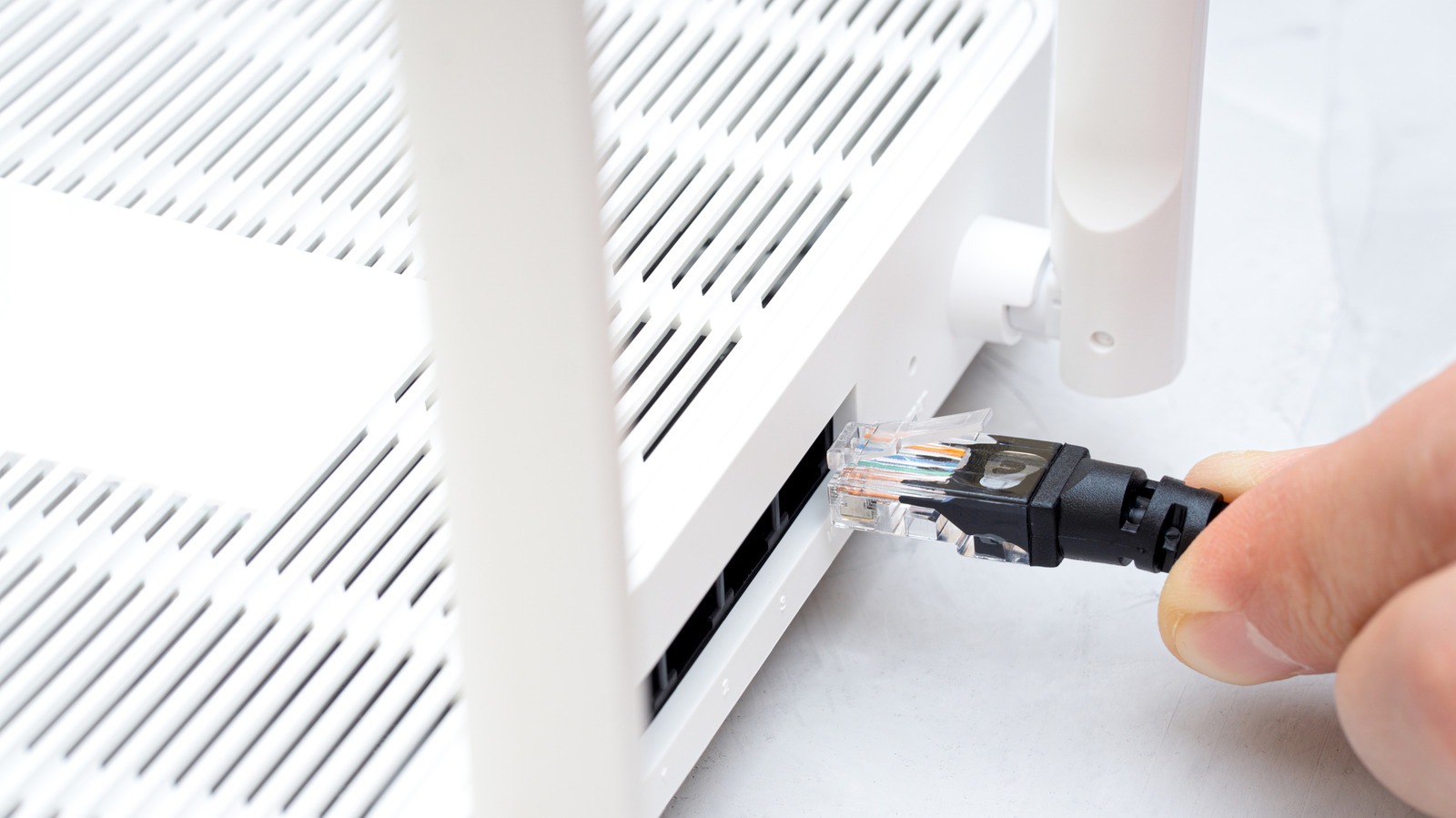
However, out-of-the-box wireless configurations hide a fundamental engineering compromise that manufacturers rarely highlight in their glossy marketing materials. When satellite nodes communicate wirelessly with the primary router, they consume valuable radio bandwidth just to pass data back and forth across the airwaves. To get the maximum performance advertised on the product box, system integrators often have to turn to physical wiring. Integrating a physical Cat 6 or Cat 6A cable into a mesh layout fundamentally transforms how data travels between access points. Instead of relying on crowded radio frequencies to shuttle packets across a home, the system dumps that traffic directly onto high-speed copper wiring. This hardware shift alters performance metrics across the entire network, keeping bitrates exceptionally high even at the furthest edge of a property, minimizing latency spikes, and eliminating jitter during competitive online gaming sessions or high-bitrate 4K video streams. Initial product disclosures and technological reporting surrounding these hardware efficiencies were tracked via Engadget, highlighting the dramatic real-world performance delta between wireless and wired node configurations.
Furthermore, evaluating the true cost of ownership involves looking beyond the initial retail price. While an entry-level two-pack or three-pack mesh kit might seem affordable, adding unmanaged gigabit switches, high-grade patch cables, and potentially hiring professional low-voltage contractors to fish wire through finished walls can push the total project budget significantly higher. Yet, for users burdened by thick masonry walls, radiant floor heating barriers, or heavy electromagnetic interference from neighboring Wi-Fi networks in densely populated apartment complexes, transitioning to a wired network topology is the single most effective hardware upgrade you can execute. Understanding the interplay between radio frequencies, antenna configurations, and physical cabling is essential for anyone looking to build a resilient domestic network infrastructure that will last for years without requiring frustrating troubleshooting or premature hardware replacements.
Manufacturer Claims vs. Engineering Reality
According to technical documentation published with major mesh router releases, wireless backhauls easily sustain multi-gigabit speeds across sprawling residential layouts, promising fiber-optic performance in every corner of the house. In the real world, physics intervenes immediately. As radio frequency signals travel through drywall, insulation, plaster, brick, and concrete, signal attenuation takes a massive toll on raw throughput. The physical gap between nodes can easily chop hundreds of megabits off a connection before client devices even get a chance to request data. A smartphone connecting to a distant satellite node is inherently bottlenecked by whatever degraded bandwidth that node managed to salvage from the primary router over a congested wireless channel. Marketing materials rarely emphasize this steep drop-off, leaving consumers wondering why their expensive gigabit internet plan crawls to a glacial halt in the back bedroom or home office.
Lower-cost hardware introduces an even worse architectural flaw that severely impacts network stability. Cheaper dual-band mesh products force the wireless backhaul to share the exact same frequency bands that client devices use for web browsing, video conferencing, and media streaming. This design forces the internal radio to juggle two distinct jobs simultaneously, cutting available throughput in half because the radio must constantly alternate between listening to client devices and transmitting packets back to the main router. Analyzing the hardware spec sheets reveals why a tri-band or quad-band investment is mandatory for wireless-only setups, as those sophisticated systems reserve a dedicated radio channel exclusively for node-to-node communication, keeping client-facing bands clear of heavy backhaul traffic. Yet even a dedicated tri-band radio cannot match the sheer consistency, zero packet loss, and symmetrical bandwidth of a physical copper connection. Hardware reality dictates that no matter how advanced the internal antenna array, beamforming algorithms, or MU-MIMO spatial streams are, wireless transmission remains inherently vulnerable to physical obstructions, distance, and environmental interference.
Moreover, modern smart homes place an unprecedented burden on wireless routers. With dozens of connected devices ranging from security cameras and smart thermostats to robotic vacuums and voice assistants constantly pinging the network, wireless airtime becomes a precious and scarce commodity. When a wireless mesh backhaul has to compete with fifty other devices for airspace, latency inevitably spikes. This manifests as stuttering video feeds, unresponsive smart switches, and frustrating buffering delays during peak evening hours. By understanding the stark contrast between glossy manufacturer spec sheets and the unyielding laws of radio frequency physics, network builders can make informed decisions about whether to invest in high-end tri-band hardware or take the time to run physical Ethernet cables between their mesh access points.
Under the Hood: Technical Architecture and Build Quality
Switching to a wired backhaul bypasses radio congestion entirely, transforming the operational characteristics of the local area network. When a network uses physical copper cables to connect its nodes, the internal architecture stops wasting precious CPU cycles on packet retransmission, collision avoidance, and error correction caused by wireless interference and environmental attenuation. Running a standard Cat 6 or Cat 6A cable delivers at least 1 Gbps of dedicated, full-duplex throughput over typical residential cable runs up to 100 meters, which easily surpasses the physical dimensions of any standard home. This hardware upgrade renders dual-band hardware limitations completely irrelevant, because the satellite nodes no longer have to sacrifice half their radio capacity to talk to the main router. Client devices connecting via Wi-Fi still face typical wireless drop-offs as they move away from the nearest access point, but the core network pipeline is no longer kneecapped at the first hop, ensuring the local network operates at maximum wire speed between access points.
Execution remains the primary hurdle for everyday consumers attempting to implement a wired backbone. Stretching physical wiring across a multi-story home requires routing cables carefully along baseboards, through crawlspaces, up through attic insulation, or behind drywall. While a pair of 50-foot Cat 6 patch cables costs roughly $30 USD on Amazon, the labor, tools, and aesthetic cost of concealment can be surprisingly steep for homeowners who prefer a clean, wire-free interior design. Furthermore, physical port availability creates another hardware bottleneck that must be accounted for during the planning phase. Every participating router needs an open Ethernet port to accommodate the incoming cable connection from the upstream node. If a smart home hub, Network Attached Storage (NAS) enclosure, or desktop gaming computer already occupies that precious port, system builders must invest in an external unmanaged or managed gigabit Ethernet switch to expand local capacity, raising the overall project cost and adding another point of failure to the rack.
Port speeds matter just as much as the quality of the cable itself. A legacy 100 Mbps port creates an artificial ceiling, making modern Wi-Fi 7 or Wi-Fi 6E hardware completely pointless if the wired link cannot clear at least 2.5 Gbps, 5 Gbps, or 10 Gbps where supported by high-end multi-gigabit modems and switches. Examining the build quality of modern mesh nodes reveals a trend toward compact, aesthetically pleasing designs with internal heat sinks and passive cooling. While these sleek enclosures look great on a bookshelf, thermal management under heavy, continuous wired backhaul loads can sometimes lead to thermal throttling if ventilation is blocked. Ensuring that nodes are placed in well-ventilated areas rather than enclosed media cabinets preserves long-term hardware reliability and prevents unexpected reboots during intensive data transfers.
Verified Market Alternatives
For buyers evaluating hardware solutions that balance physical wiring flexibility with robust, high-performance mesh capabilities, several established options dominate the consumer networking market. The Amazon Eero Pro 6Eretails for $399.99 USD on Amazon in a comprehensive three-pack configuration, offering tri-band coverage spanning the 2.4GHz, 5GHz, and newly opened 6GHz frequency bands alongside built-in multi-gigabit Ethernet ports that drastically simplify wired backhaul integration for smart home setups. It handles multi-gigabit handoffs efficiently and sets up in minutes via a streamlined smartphone application, though its locked-down firmware lacks advanced routing controls, VLAN support, and deep manual customization for power users who prefer granular control over their network traffic. Alternatively, the TP-Link Deco XE75sells for $299.99 USD on Amazon for a three-pack, providing current-generation Wi-Fi 6E capabilities with dedicated backhaul support and multiple 1 Gbps Ethernet ports on each unit, giving budget-conscious shoppers an affordable path to high-speed wireless coverage without sacrificing reliability.
Choosing between these diverse market alternatives depends heavily on home construction materials, existing infrastructure, and individual wiring access. Homes equipped with pre-existing Ethernet wall jacks in multiple rooms make the transition to a wired backhaul effortless, turning any standard mesh kit into a high-performance wired access point system with minimal physical labor. On the other hand, older residences lacking in-wall wiring force users to rely entirely on wireless backhauls, making high-end tri-band hardware like the TP-Link Deco XE75 a mandatory purchase to avoid severe speed degradation across distant rooms. Budget-conscious buyers must carefully weigh the upfront hardware expense against the labor and time required for cable management. Trying to save money by purchasing a cheap dual-band kit only creates severe network bottlenecks later, proving beyond a shadow of a doubt that upfront hardware specifications dictate long-term network reliability and user satisfaction far more effectively than any post-purchase software optimization or firmware update ever could.
When comparing these models side-by-side, user interface preferences also play a critical role. The Eero hardware environment excels in automated optimization, background security scanning, and reliable integration with Amazon Alexa smart home devices, appealing to users who want a “set-and-forget” network experience. Conversely, TP-Link’s Deco line offers robust parental controls, detailed traffic analytics, and flexible operating modes that bridge the gap between consumer simplicity and advanced networking features. Evaluating how these software ecosystems handle device prioritization, guest networks, and firewall security ensures that buyers select a hardware package that aligns perfectly with their daily digital workflows and technical proficiency levels.
Final Editorial Verdict: Long-Term Reliability Outlook
Upgrading a residential mesh network with a physical Ethernet cable remains the single most effective, mathematically sound way to eliminate wireless backhaul bottlenecks and secure maximum, symmetrical throughput across an entire property. While the initial investment in Cat 6 cabling requires physical labor, cable management accessories, and careful port planning, the ultimate payoff is a rock-solid network infrastructure that effortlessly withstands heavy interference, dense multi-device traffic, and demanding data applications without dropping packets or introducing frustrating latency spikes. For the vast majority of households, the dramatic performance gain easily justifies the deployment effort, turning sluggish dead zones into blazing-fast network extensions capable of supporting high-bandwidth remote work and entertainment simultaneously. Buy this setup if you demand absolute network reliability, zero jitter, and have the physical means to route cables through your living space.
Conversely, users living in finished rental properties, historic homes with impenetrable plaster walls, or residential spaces where running wires through walls is strictly prohibited should skip the wired backhaul project entirely and instead invest in a robust, high-performance tri-band mesh system like the TP-Link Deco XE75for $299.99 USD on Amazon. Trying to force a wired hardware setup where physical constraints prevent clean, safe cable routing leads only to frustration, cord clutter, and wasted money on accessories you cannot effectively utilize. Carefully evaluate your home’s physical layout, structural composition, and local port availability before purchasing additional networking hardware, and always match your overall deployment strategy to the immutable physical reality of your living space to ensure lasting connectivity success.