

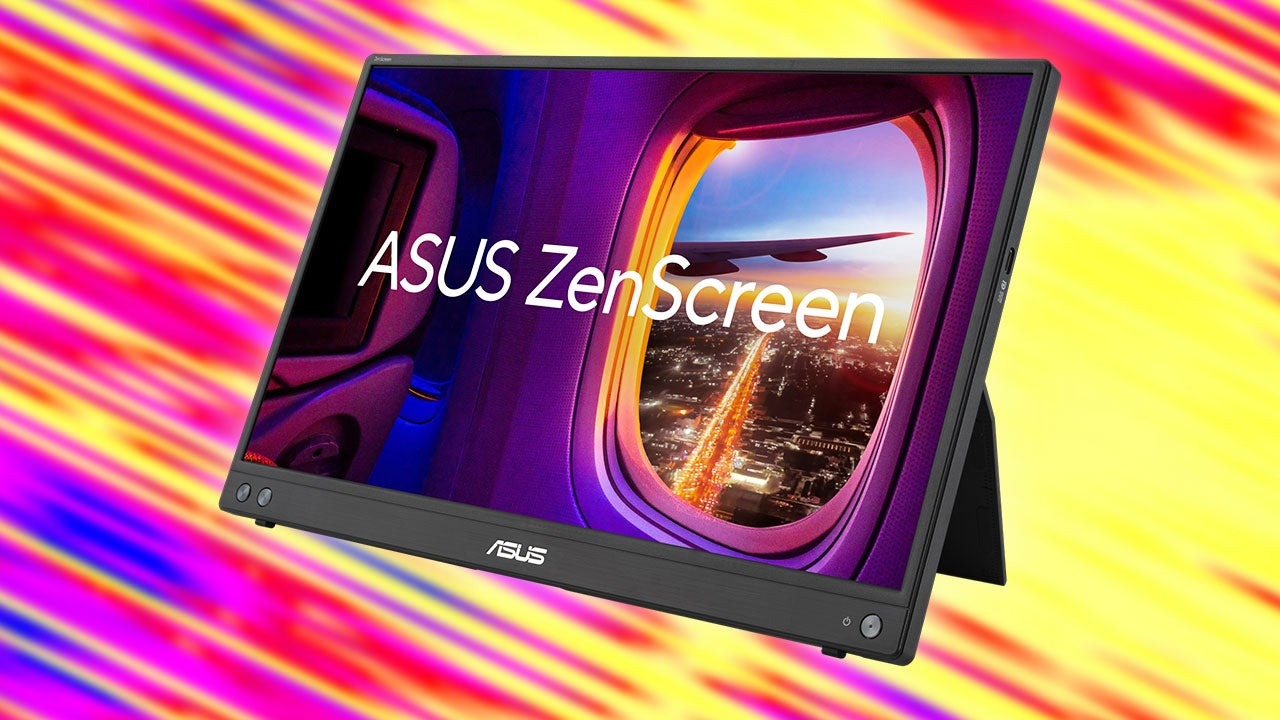
The ASUS ZenScreen 15.6″ USB Portable Monitor (MB16AHV) is a lightweight external secondary screen designed to expand visual workspace for mobile laptops and transform handheld gaming consoles into tabletop entertainment rigs. Priced at $99 USD on Amazon following an instant $50 USD pre-Black Friday discount off its $149 USD standard list price, this panel delivers dual-port connectivity and broad device compatibility without requiring dedicated wall power in standard laptop configurations. It is engineered specifically for remote knowledge workers managing split-screen spreadsheets on the go and handheld gaming enthusiasts looking for a larger display for the Nintendo Switch, Steam Deck, or ROG Ally.
🛒 Where to Buy: Asus ZenScreen MB16AHV
- Asus ZenScreen MB16AHV: View on Amazon
Click the link above to check current pricing, availability, and customer reviews on Amazon.
The expansion of ultra-thin laptops has fundamentally altered personal productivity over the last decade, yet physical screen area remains a hardware bottleneck. A single 13-inch or 14-inch display forces users into constant window-toggling, reducing workflow efficiency during complex tasks. Similarly, while handheld PC gaming hardware has advanced rapidly in GPU power, built-in 7-inch displays limit immersive play during static tabletop sessions. Portable external monitors resolve this physical constraint by providing immediate, secondary screen real estate that fits inside a standard laptop sleeve, bridging the gap between desktop multi-monitor workflows and mobile flexibility.
The Problem and Hardware Purpose
Mobile computing hardware faces an inherent trade-off between physical footprint and visual surface area. High-performance ultrabooks and compact handheld gaming devices prioritize portability, which inevitably restricts screen sizing to small form factors. For professionals running side-by-side reference materials, code editors, or financial dashboards, single-screen setups introduce cognitive fatigue and task-switching friction. The ASUS ZenScreen MB16AHVaddresses this specific spatial limitation by supplying a full-sized 15.6-inch workspace that operates off host-device power over a single connection.
Retailing for $99 USD on Amazon, the hardware aims directly at the value-focused productivity and entry-level gaming market. Rather than chasing ultra-high refresh rates or wide-gamut color accuracy required by color-critical video editors, the MB16AHV concentrates on daily functional utility. It solves the core problem of mobile multi-tasking by offering a plug-and-play secondary canvas that requires no external power brick when paired with modern USB-C laptops, drastically reducing cable clutter in remote work environments, coffee shops, and temporary hot-desk setups.
For mobile gamers, the display solves a distinct physical limitation present in current-generation handhelds. Playing split-screen multiplayer on a Nintendo Switch or executing detailed tactical menus on a Steam Deck can be challenging on a compact screen. By acting as a direct external display hub, the ZenScreen scales these experiences up to a desktop-class viewing size while maintaining a combined setup weight that easily fits into a standard backpack alongside peripheral controllers and power banks.
Engineering Architecture & How It Works
The physical chassis of the ASUS ZenScreen MB16AHV measures less than 0.5 inches in thickness and weighs approximately 2 pounds, utilizing a lightweight plastic enclosure engineered for high durability during transport. In their official technical documentation, the ASUS engineering team highlights the application of an ionic silver surface treatment—branded as BacGuard—which is baked directly into the outer plastic housing. Independent laboratory testing under ISO 22196 standards confirms this treatment inhibits up to 99.9% of bacterial growth on high-touch surfaces, addressing long-term hygiene concerns for hardware frequently deployed in public environments.
At the core of the device is a 15.6-inch In-Plane Switching (IPS) LCD panel operating at a native resolution of 1920×1080 pixels, yielding a pixel density of approximately 141 ppi. The screen features a matte, anti-glare coating designed to diffuse ambient overhead lighting and standard 178-degree horizontal and vertical viewing angles, minimizing brightness falloff when viewed from off-axis positions. The panel operates at a fixed 60Hz refresh rate, which aligns with standard office productivity standards and native handheld console output caps.
Examining the fine print of the hardware specification sheet reveals a versatile, tri-port input hub embedded along the lower left edge. The chassis features two USB Type-C ports capable of handling DisplayPort Alt Mode video signals alongside power delivery, plus a single mini-HDMI 1.4 port. When connected to a host laptop equipped with a fully featured USB-C port, a single cable transfers both video data and operational power to the display. However, when connecting to host devices that lack sufficient bus-powered output, such as the Nintendo Switch or older mini-HDMI laptops, a two-cable setup becomes mandatory: one cable carries the video feed while the secondary USB-C port must connect directly to an external 15W (5V/3A) or higher USB wall charger.
Physical mounting and positioning are managed through two distinct structural mechanisms. On the rear casing, a built-in kickstand folds outward to support variable tilt angles in landscape orientation. Additionally, ASUS integrated a standard 1/4-inch threaded socket directly into the back panel. This universal mounting interface allows the monitor to attach directly to standard camera tripods, desk-mounted arm extensions, or specialized portable stands, elevating the display to eye level alongside a laptop screen to eliminate neck strain during extended working sessions.
Real-World Performance Reality
In practical daily workflows, the 1080p resolution across a 15.6-inch diagonal canvas provides clear text rendering without requiring OS scaling adjustments. Running productivity suites—such as Microsoft Excel, Slack, or visual code editors—on the ZenScreen while reserving the main laptop screen for primary tasks eliminates window management friction. The matte surface effectively mitigates glare from office fluorescent lighting and sunlight in cafe settings, maintaining readable contrast levels, though peak panel brightness remains tuned primarily for indoor ambient light conditions rather than direct outdoor sunlight.
When evaluated as a gaming companion for mobile consoles, the MB16AHV delivers reliable, low-latency video output over both its USB-C and mini-HDMI interfaces. Pairing the monitor with a Nintendo Switch requires routing wall power through the secondary USB-C port to feed both the monitor and the console dock mechanism simultaneously. The panel’s 1080p native resolution matches the peak dock output of the Switch perfectly, avoiding uneven spatial scaling artifacts. For handheld PC devices like the Steam Deck or Asus ROG Ally, running games at 1080p resolution at 60Hz strikes an optimal middle ground between visual sharpness and manageable thermal load on the handheld’s integrated APU.
Ergonomically, the integrated kickstand provides stable support on flat desk surfaces, though soft surfaces like couch cushions require a firm base or tripod mount to prevent tipping. When paired with ASUS’s proprietary DisplayWidget software utility on Windows PCs, the monitor supports auto-rotation, automatically shifting display orientation between landscape and portrait modes as the chassis is rotated. This portrait functionality is particularly useful for document reviewing, long-form text editing, and vertical coding environments.
What’s next for this category? If this generation gets single-cable power passthrough and rigid sub-two-pound construction right at the $99 USD threshold, the next iteration could integrate high-efficiency mini-LED backlights and 120Hz variable refresh rates into baseline budget chassis. As handheld gaming hardware continues to push beyond 60 FPS baselines, entry-level portable monitors will inevitably adapt to support smooth, tear-free variable frame delivery as standard equipment.
Competitive Landscape: Named Rivals Compared
The market for entry-level portable monitors sub-$150 USD has expanded significantly, putting the ASUS ZenScreen MB16AHV in direct competition with both budget-focused import brands and legacy peripheral manufacturers. Comparing the MB16AHV against these alternatives requires examining structural build quality, warranty coverage, and input versatility rather than raw panel speed alone, as most options in this price class share similar 1080p 60Hz IPS baselines.
A prominent direct competitor in this segment is the Arzopa S1 Table 15.6″ Portable Monitor, currently listed at $79 USD on Amazon. The Arzopa S1 features a comparable 15.6-inch 1080p IPS panel with dual USB-C ports and a mini-HDMI interface. However, the Arzopa relies on a magnetic smart-cover sleeve that doubles as a stand rather than a built-in rigid kickstand. While the magnetic cover reduces weight slightly, it provides less structural stability on unstable surfaces compared to the hard plastic kickstand of the ASUS. Furthermore, the Arzopa lacks a integrated 1/4-inch tripod mounting thread and offers standard 1-year warranty coverage, compared to the 3-year commercial warranty provided by ASUS.
Another major baseline option in this category is the ViewSonic VA1655 15.6″ Portable Monitor, available for $119 USD on Amazon. The ViewSonic VA1655 targets the business travel demographic with an integrated back-kickstand design similar to the MB16AHV and a slim profile weighing 1.5 pounds. While the ViewSonic model offers clean aesthetics and dual USB-C pass-through architecture, its overall chassis structural rigidity under torsion feels slightly less robust than the MB16AHV’s reinforced frame. The ViewSonic also lacks the antimicrobial surface treatment found on the ASUS, making the ZenScreen a more attractive choice for users who frequently travel through high-traffic communal workspaces.
- the hardware: $99 USD on Amazon; 15.6-inch IPS 1080p; 2 pounds; built-in kickstand, 1/4-inch tripod thread, 3-year warranty, antibacterial coating.
- Arzopa S1 Table 15.6″: $79 USD on Amazon; 15.6-inch IPS 1080p; 1.7 pounds; magnetic sleeve stand, no tripod socket, 1-year warranty.
- ViewSonic VA1655: $119 USD on Amazon; 15.6-inch IPS 1080p; 1.5 pounds; built-in kickstand, no tripod socket, 3-year warranty.
Final Buyer Recommendation: Practical Value Decision
The the device represents a well-balanced engineering package focused strictly on functional daily execution. By avoiding unnecessary premium features like high-touch capacitive digitizers or high-refresh-rate gaming panels that inflate price tags beyond $200 USD, ASUS has delivered a practical display expansion tool at a highly accessible entry cost. At its temporary discounted price of $99 USD on Amazon, the utility-to-cost ratio is exceptionally strong for remote workers seeking to restore dual-screen productivity while traveling, as well as console gamers looking for an easy tabletop upgrade for their handheld hardware.
Prospective buyers should evaluate their specific connection capabilities before purchase. For users operating modern laptops with Thunderbolt or USB-C DisplayPort Alt Mode support, the single-cable setup offers pure plug-and-play convenience. Handheld console owners must factor in the requirement of running a secondary USB-C cable to an external wall power supply during operation. If your primary goal is securing a durable, highly portable 15.6-inch secondary monitor backed by an established 3-year manufacturer warranty from ASUS, the MB16AHV is a solid, smart investment at this promotional price threshold.