

🛒 Where to Buy: Cricut Sticker Machine
- Cricut Sticker Machine: View on Amazon
Click the link above to check current pricing, availability, and customer reviews on Amazon.
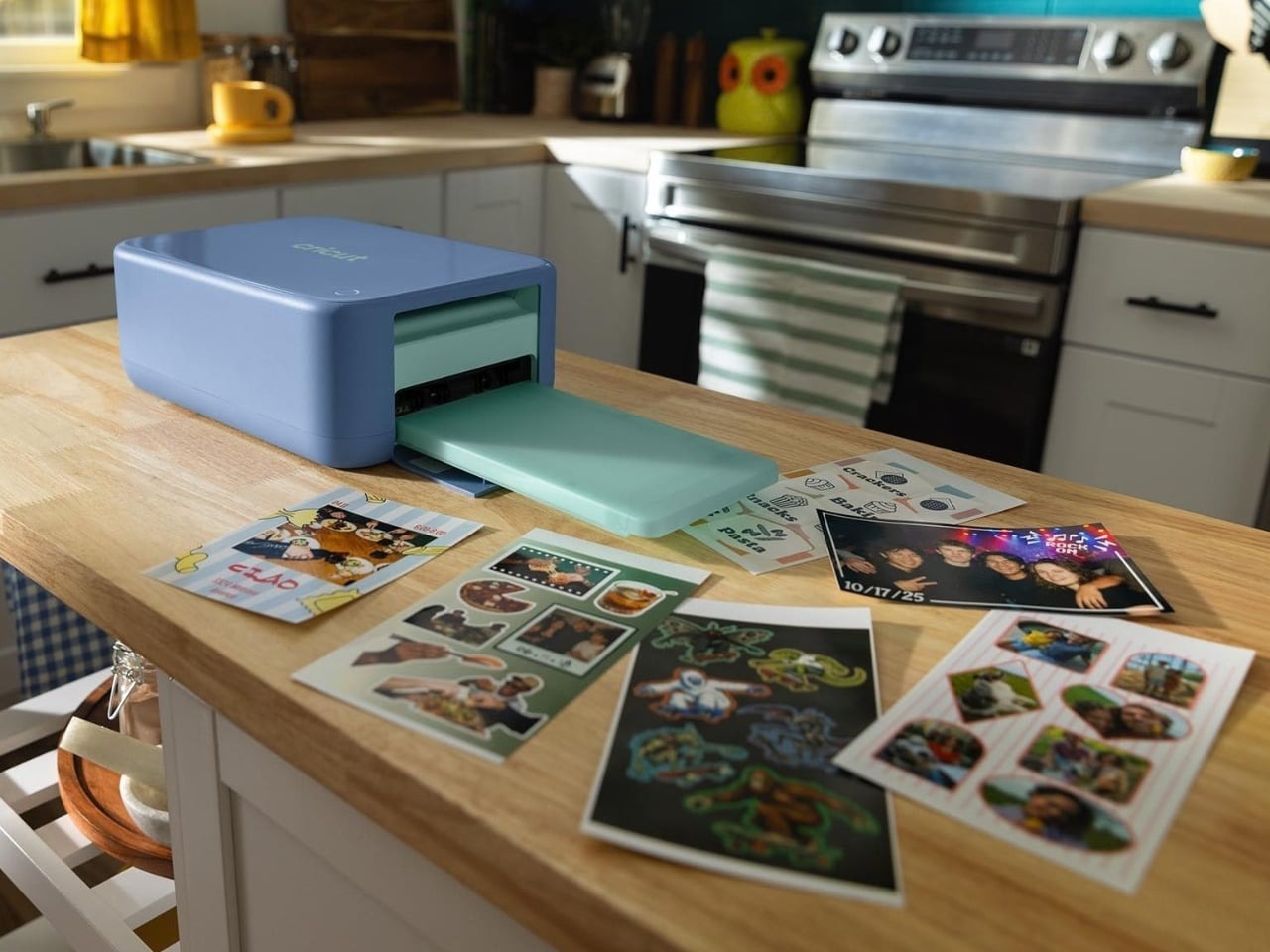
Cricut StickerPix Print and StickerPix Print and Cut are dedicated desktop sticker-printing hardware systems engineered to turn smartphone camera rolls into physical stickers and photo prints in minutes. Priced between $150 USD and $380 USD depending on the specific hardware bundle, these units target home journaling enthusiasts, scrapbookers, and stationery hobbyists who want to eliminate the turnaround lag of third-party print-on-demand services. Available directly through authorized retail channels and the Cricut official product platform, these compact devices bridge the gap between digital camera storage and analog physical crafting without requiring external cutting machines or professional design software.
When unboxing these machines for the first time, users immediately notice the sleek industrial design that prioritizes clean desktop integration over industrial heft. The chassis features a matte finish that resists fingerprint smudges, while the internal mechanical pathways are engineered for reliable media transitions. Unlike older crafting plotters that demand extensive calibration, bed cleaning, and blade depth adjustments, these units rely on a factory-calibrated registration system. This out-of-the-box readiness appeals strongly to casual creators who find traditional craft technology intimidating. The minimal learning curve means that within ten minutes of unboxing, a novice can pull an image from their phone gallery, apply a basic border, and watch a fully laminated sticker exit the front slot.
Upfront Investment & 2-Year Total Cost of Ownership
Purchasing the base StickerPix Print model requires an initial layout starting at $150 USD, while stepping up to the advanced StickerPix Print and Cut bundle pushes the hardware investment closer to $380 USD. Unlike legacy craft plotters that demand ongoing subscription fees for software utility, the StickerPix hardware environment operates without mandatory monthly licensing costs. Design layout is managed through the companion app, which remains functional without a paid tier. This subscription-free baseline keeps operational overhead predictable over the lifespan of the machine, preventing the hidden software fees that often plague consumer crafting technology. Users can download templates, arrange multiple photos on a single canvas, and execute print commands without hitting paywalls or being badgered to upgrade their account status.
Calculating the true two-year cost of ownership requires factoring in proprietary consumable materials rather than electricity or software renewals. Because the hardware relies on specialized dye-sublimation media and laminated sticker sheets sold in fixed sizes, users must factor in recurring expenses for refill packs. Assuming a moderate hobby volume of two print sessions per week, consumable expenditures average roughly $20 USD to $30 USD monthly. Over a 24-month period, combined with the initial hardware purchase price, the total investment lands between $630 USD and $1,100 USD. For dedicated stationery users who previously relied on sporadic online ordering, this expenditure replaces third-party wait times with immediate desktop output while eliminating the discarded paper waste common in traditional print-and-cut workflows.
What You Actually Get: Core Features & Build Specs
Unboxing the hardware reveals a compact desktop footprint designed to occupy minimal desk space compared to traditional inkjet printers and separate vinyl cutters. The physical build is housed in durable matte plastic, featuring an internal dye-sublimation printing mechanism paired with an integrated thermal lamination roller. According to official technical documentation published with this release, the print engine applies a protective polymer coating simultaneously as the image transfers to the substrate. This dual-action process yields a finished sticker that resists moisture, physical scratching, and ultraviolet degradation right out of the machine tray, making the output suitable for water bottles, laptop lids, and outdoor journals without requiring manual spray sealants.
The standard StickerPix Print model handles pre-die-cut media sheets in standard 4×6 and 4×7 sizes, locking users into predetermined geometric boundaries while allowing complete freedom over image content and color profiles. The flagship StickerPix Print and Cut variant introduces an optical sensor and precision mechanical blade assembly that executes kiss-cuts around custom vector paths. This allows the hardware to trace intricate artwork boundaries defined in the mobile or desktop design software. Both form factors discard bulk paper feeding trays in favor of drop-in cartridge slots, minimizing mechanical jams and keeping setup procedures straightforward for users with zero prior crafting experience.
Hidden Costs, Material Limitations & Cartridge Dependencies
Operating the device day-to-day reveals careful attention to user ergonomics alongside strict consumable boundaries. The companion app connects seamlessly via Bluetooth and Wi-Fi, allowing users to pull photos from cloud drives, social media feeds, or local smartphone galleries instantly. Once an image is selected, the software provides a suite of editing tools designed specifically for sticker creation, including automatic background removal, drop shadows, white border padding, and text overlays. This eliminates the need to export assets into desktop graphics programs like Adobe Illustrator or Photoshop just to add a clean contour border around a pet photograph or vacation snapshot.
However, the physical media dimensions are strictly bounded by the proprietary cartridge design. Users cannot feed standard cardstock, heavy vinyl rolls, or third-party sticker paper through the loading slot. This material registration ensures consistent print registration and lamination bonding, but it removes the flexibility to experiment with alternative substrates. The resulting output delivers clean color saturation and sharp photographic clarity that outperforms standard desktop inkjet prints on glossy sticker paper. The built-in laminate adds a tactile thickness that mimics professional commercial-grade vinyl stickers right off the tray, shielding each print against physical friction, UV exposure, and moisture.
Smarter Alternatives at This Price
Before locking yourself into a proprietary consumable ecosystem, you have to weigh the StickerPix against established desktop alternatives. The most obvious competitor is the Canon SELPHY CP1500 Compact Photo Printer, which retails for roughly $139 USD on Amazon. The SELPHY delivers dye-sublimation 4×6 photo prints with an integrated thermal overcoat at a lower per-print operational cost, and third-party media packs are widely available. However, the SELPHY lacks any integrated mechanical cutting blade, meaning you are limited to manual scissors or pre-perforated sticker cards if you want custom contour shapes.
If precision vector cutting is your priority rather than integrated photographic printing, the Cricut Joy Smart Cutting Machine or the Silhouette Portrait 4 represent compelling standalone options. A standard Cricut Joy costs around $149 USD and cuts hundreds of materials — including Smart Vinyl, iron-on transfers, and cardstock — up to 4 feet in length. When paired with an existing inkjet printer using printable vinyl sheets, this traditional two-step workflow gives you unrestricted access to third-party holographic and glitter sticker papers that the StickerPix simply cannot accommodate. For high-volume micro-businesses, stepping up to a continuous-ink printer and standalone vinyl cutter requires $400 USD to $550 USD upfront, but reduces per-sticker consumable costs down to pennies.
Final Buyer Verdict: Is the Investment Worth It?
The Cricut StickerPix Print and Cut solves a genuine friction point in personal desktop fabrication: it takes the messy, multi-step ordeal of printing, manually laminating, registering optical cut-marks, and feeding sheets through a plotter, and collapses it into an idiot-proof two-minute workflow. For parents printing reward stickers, journaling enthusiasts, bullet-planner creators, and casual crafters who value their time and hate troubleshooting print-then-cut optical errors, that streamlined convenience justifies the upfront hardware price.
The hard reality you have to accept before swiping your card is the recurring cost of proprietary cartridges. If you expect the material freedom of standard craft cutters or plan to run a commercial sticker store, the sealed ribbon-and-paper packs will eat your margins alive. But for dedicated personal hobbyists who want sharp, waterproof, die-cut custom stickers without turning their kitchen table into an ink-splattered fabrication shop: buy the StickerPix Print and Cut bundle, skip the commercial plotters, and enjoy the simplest sticker workflow on the market.